DAW
A chord partner for your DAW.
The DAW build turns the keyboard into a controller for Bitwig Studio, Ableton Live and FL Studio, over USB or Bluetooth, and adds the Harmony Helper: pads that suggest the next chord, name what you play and show which notes fit. The sound comes from your DAW.
Harmony Helper
Pads that know what comes next.
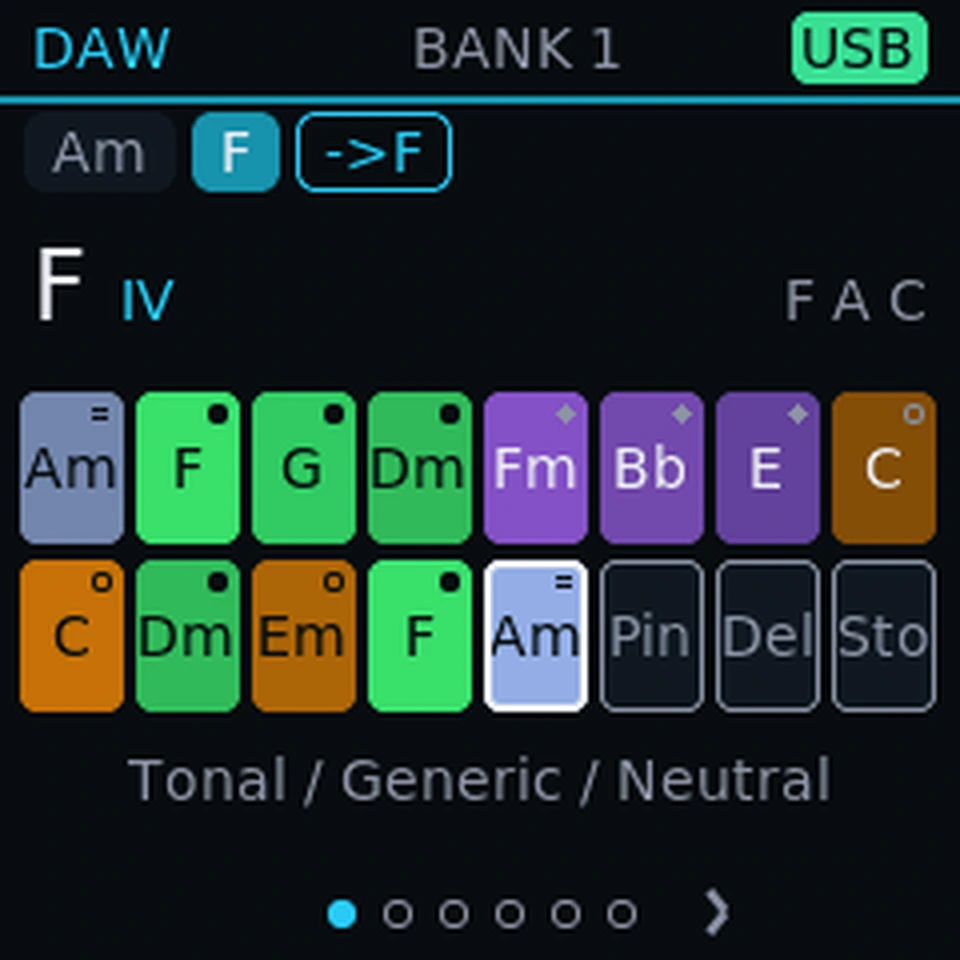
Hold PATCH and the sixteen pads become a chord board. Play a chord and seven pads offer the chords that tend to follow it, coloured by how well they fit: green is safe, orange explores, violet borrows from outside the scale. The bottom row keeps the chords of your scale within reach.
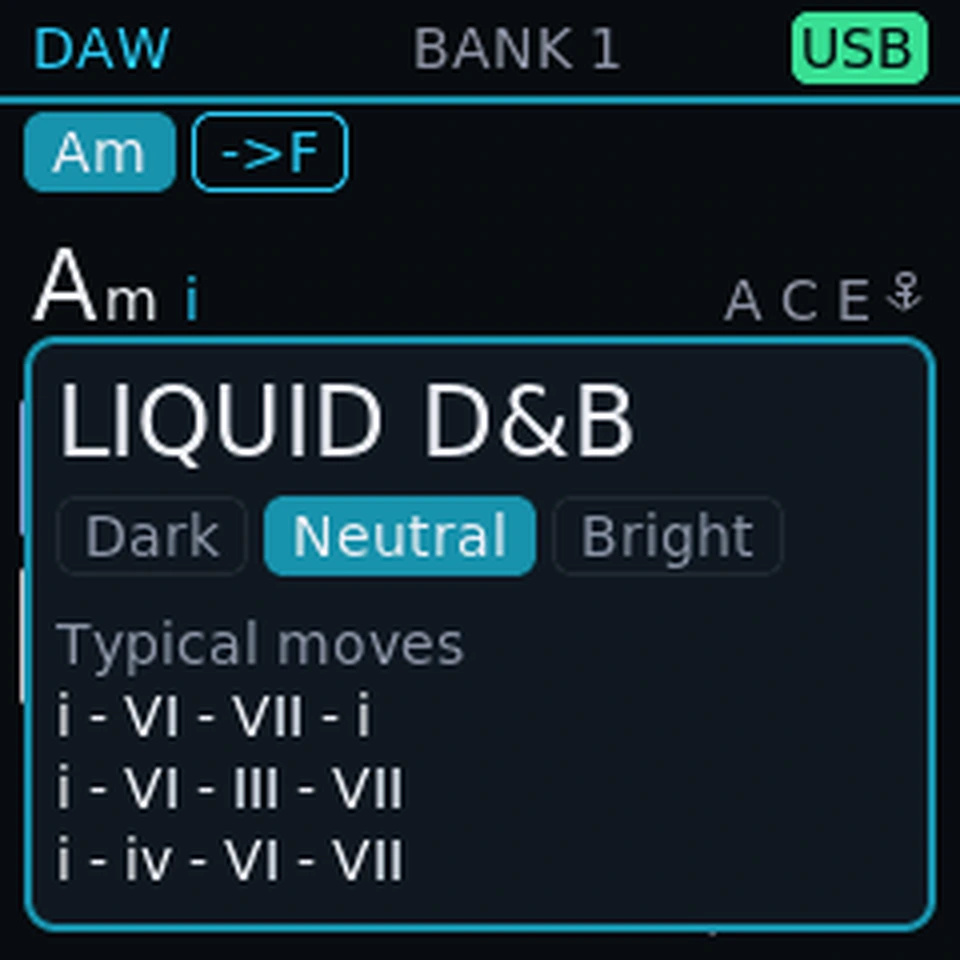
- Thirty-nine genres, from Pop and Jazz to Liquid D&B and Neurofunk, change which moves are likely. Mood tilts them Dark or Bright.
- You choose how adventurous: Safe stays in the scale, Tonal adds common borrowed chords, Bold adds chromatic mediants, tritone swaps and secondary dominants.
- Hold a pad and the screen says why that chord fits.
- It names what you play on the keys too, even 7♯9, 6/9, shell voicings and slash chords, and can offer a scale that fits better.
Notes page
See which notes fit the chord.
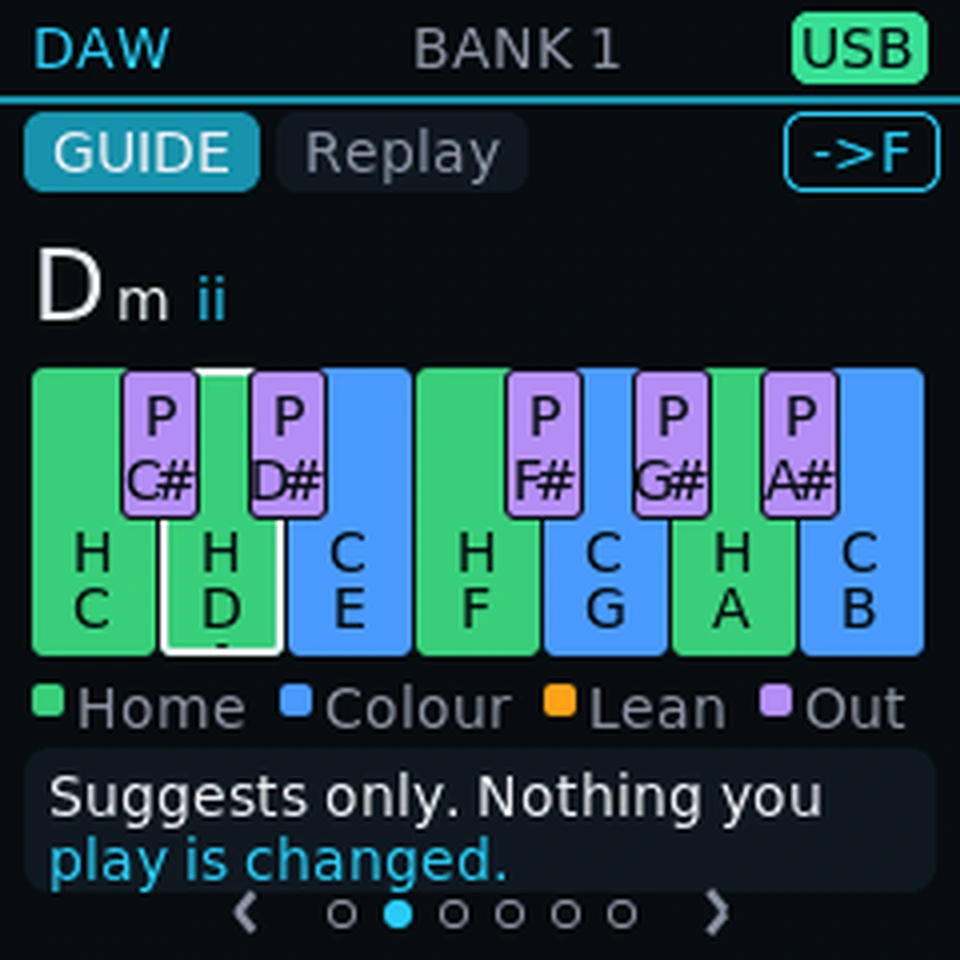
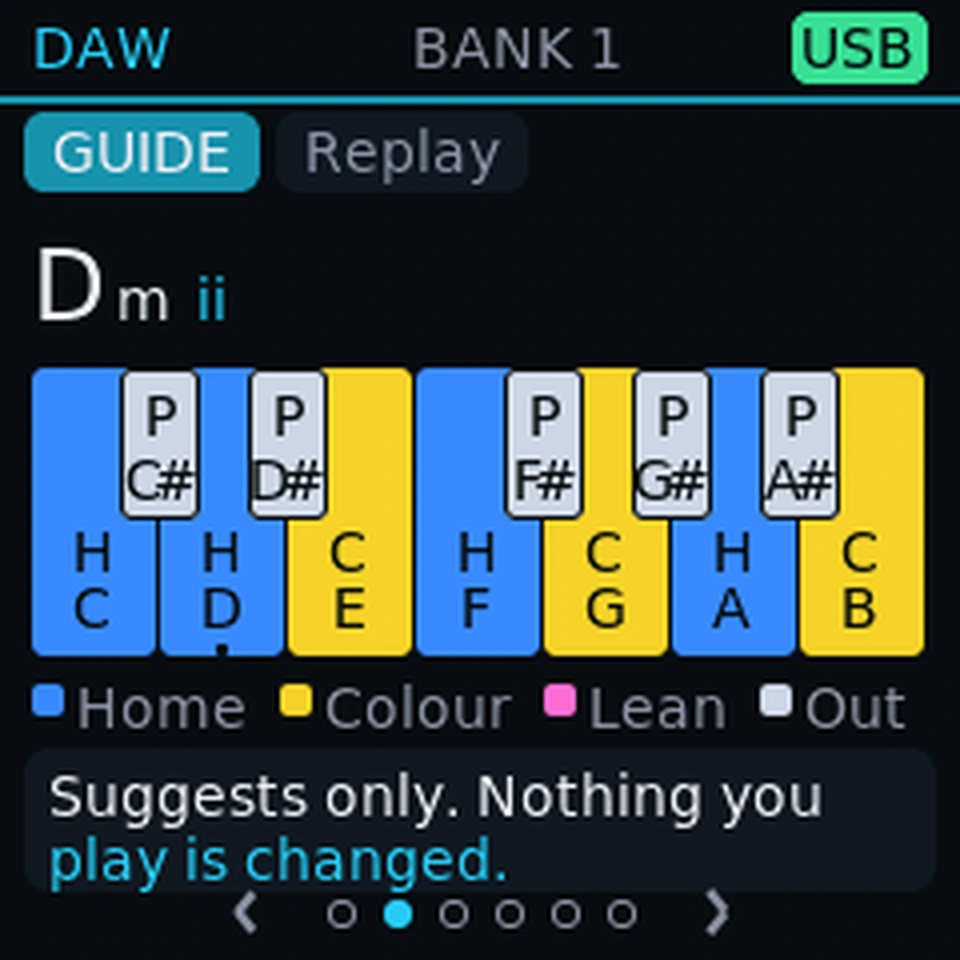
A second page draws the twelve notes as piano keys, coloured by what they do over the chord sounding now: Home, Colour, Lean or Passing, with notes outside your scale marked. Play Home notes on strong beats, Colour notes for flavour, Lean notes when you want to resolve.
- Every key carries its letter, so the page reads without colour. A colour-blind palette is a setting.
- The keys you are holding are outlined, and the chord's root has a dot.
- While a stored progression plays, it shows the next chord and the half-step moves into it.
- Display only: it never changes the notes you play.
Progressions
Build a loop, then voice it.
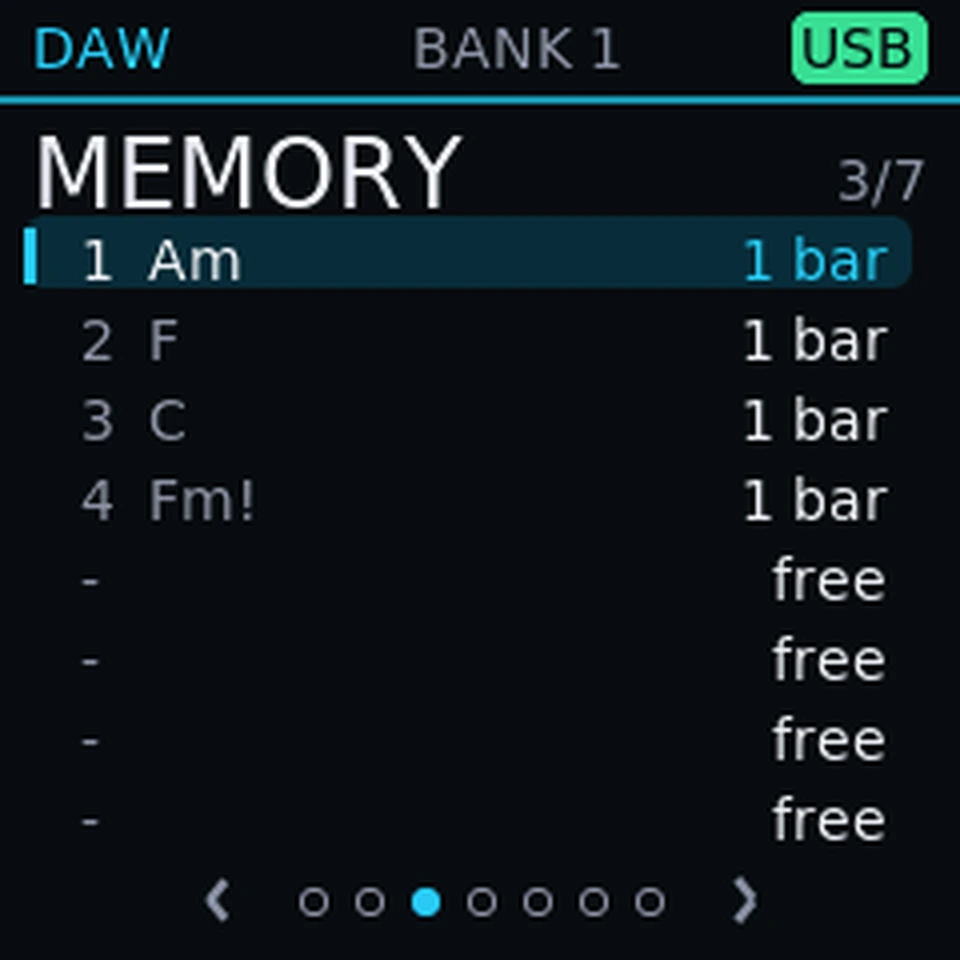
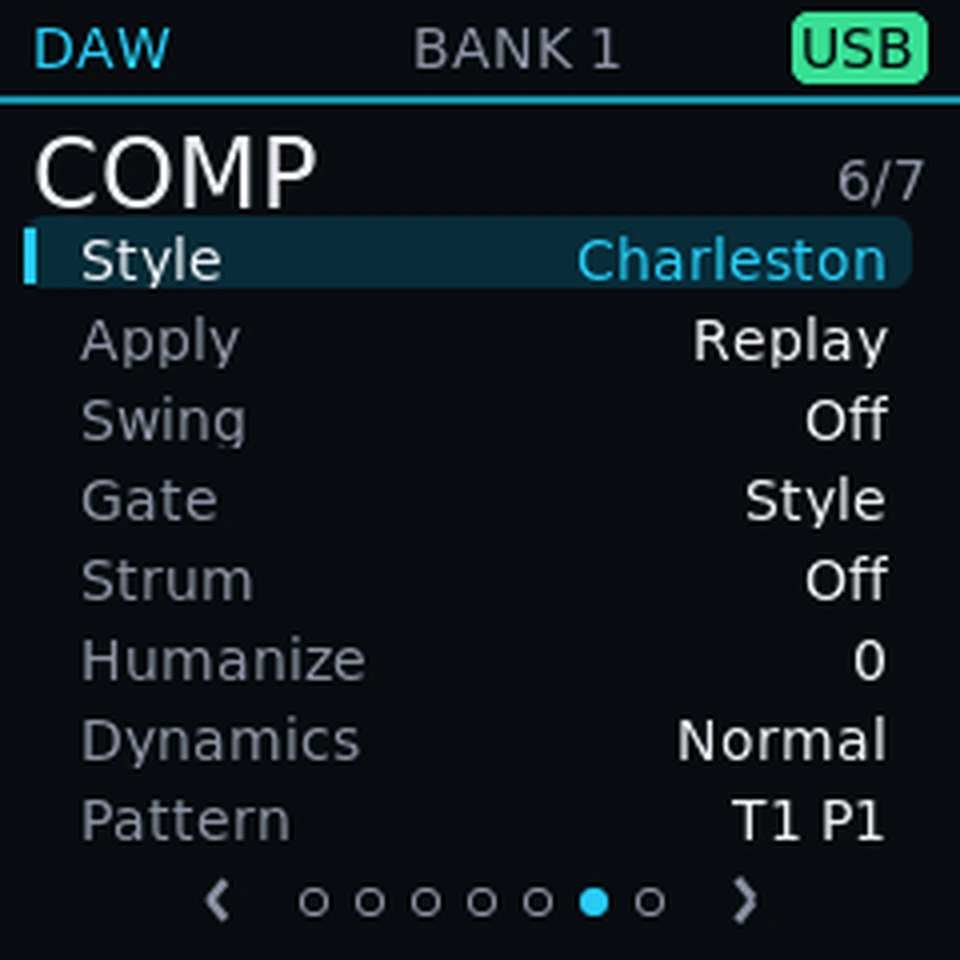
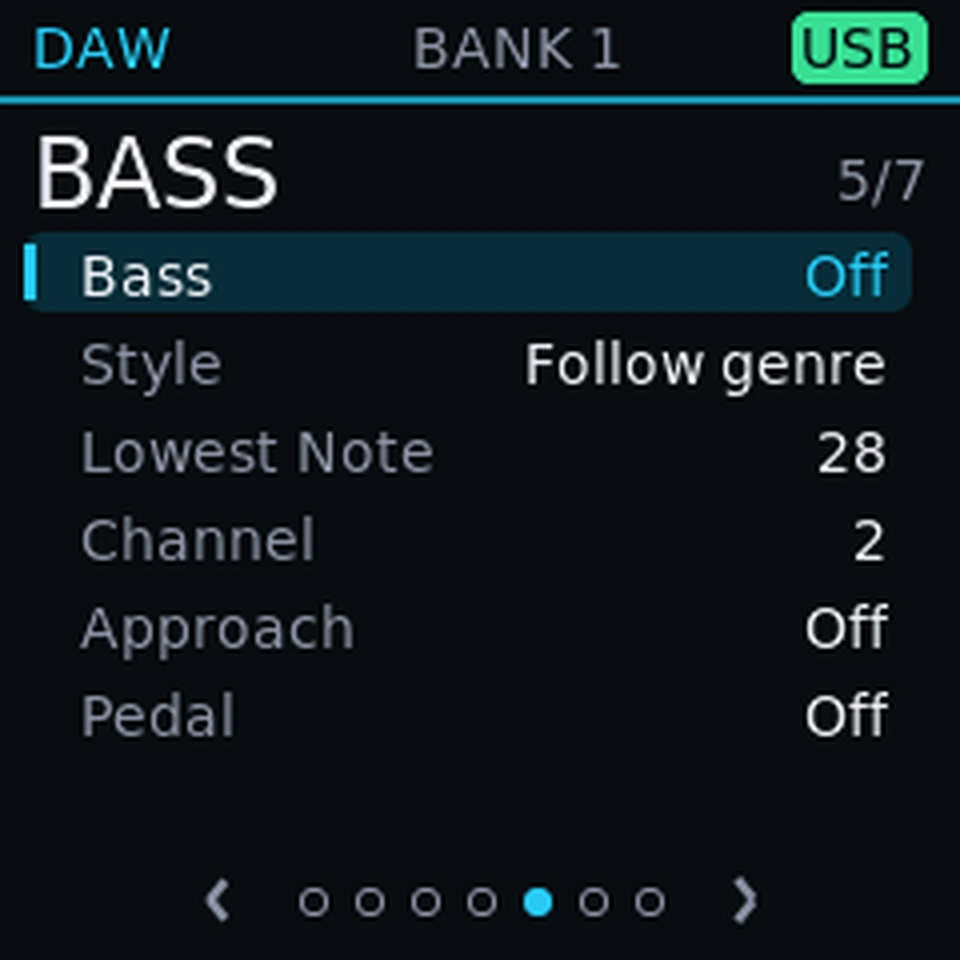
Store up to eight chords and replay them as a loop, each lasting half a bar, one bar or two. Comp turns the chords into a figure with twelve built-in rhythms, or follows a pattern from the sequencer. The bass assist plays a root or the genre's bass pattern on its own MIDI channel.
- Chord Shape: Close, Open, Rootless A and B, or Quartal, with Spread to lift inner notes an octave.
- Voice Lead keeps each chord close to the one before.
- Bass styles include Walking, Dub, Offbeat, Techno 16ths and 808, or follow the genre.
- It all comes out as MIDI. Record the pads, the keys and the bass on separate tracks as usual.
Controller
Plays with your DAW, not around it.
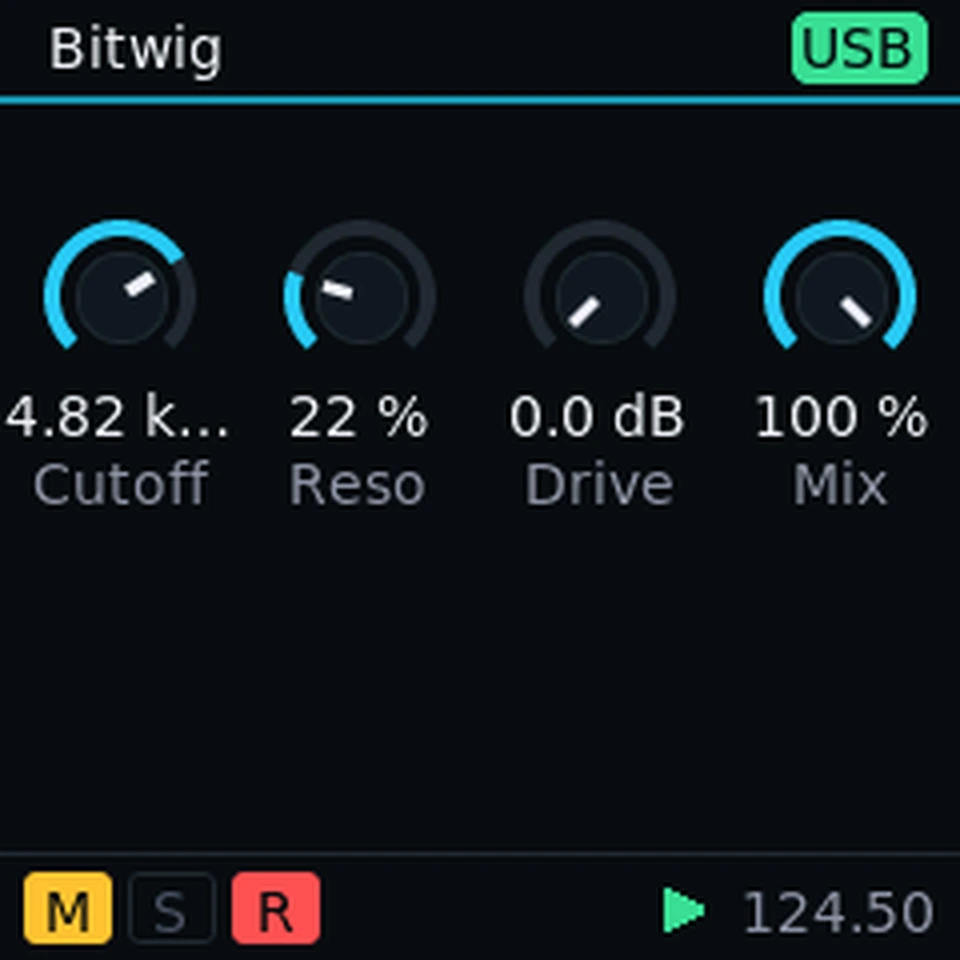
Under the helper sits a full controller: keys, pads, knobs, faders, wheels and buttons as MIDI, with presets you edit in a browser. With the Oscuro scripts for Bitwig Studio, Ableton Live and FL Studio the knobs follow the device you are working on, the faders mix, the pads select, mute and launch, and the screen shows four views of your project: Device, Mixer, Overview and Browser. The scripts also give pad colours from your clips, the track name on the display, a Shift pad, and a scale and tempo you share with the session. M-Vave's own DAW script keeps working too.
- USB Ports can be split in three: keys, pads and the DAW link each get their own port, so keys and pads record to different tracks.
- Bluetooth LE MIDI is built in next to USB, so the keyboard can work without a cable to the computer. It has been tried with a Mac only.
- Pad response, knob curve and speed, and wheel calibration are settings.
Download without the whole package
Everything the DAW build needs, as separate files. The links below always point to the newest version, and the file names carry no version, so you can link to them.
Complete image for the keyboard · 0.90
- DAW Controller with Bluetooth, SMK-37 Elite.fwsc1.4 MBDownload
- DAW Controller with Bluetooth, SMK-37 Pro.fwsc1.4 MBDownload
A complete image installs on a keyboard that still runs M-Vave's firmware, or starts over on one that already runs Oscuro. Open it in the web installer; it needs no M-Vave file. The installer checks that the file matches your keyboard before anything is written.
DAW scripts · 0.90
One zip per DAW: the script folder and that DAW's manual as a PDF. The manual is also online, with a book for each DAW.
Good to know
- The sound comes from your DAW. This build has no synth patches and no effects rack; a small built-in test voice sounds from the keys and pads and cannot be switched off.
- The chord memory is not saved: it is lost when the keyboard restarts. Strum and Humanize in the helper are stored but do not shape the notes yet.
- The Bitwig script is the oldest. The Ableton Live and FL Studio scripts are new and have had only a short test with a keyboard, so expect rough edges and tell us what you find.
- For the SMK-37 Elite and Pro. Pick “DAW Controller with Bluetooth” in the installer. The complete image for the Pro has not been tried on a Pro yet. The Elite image has.